
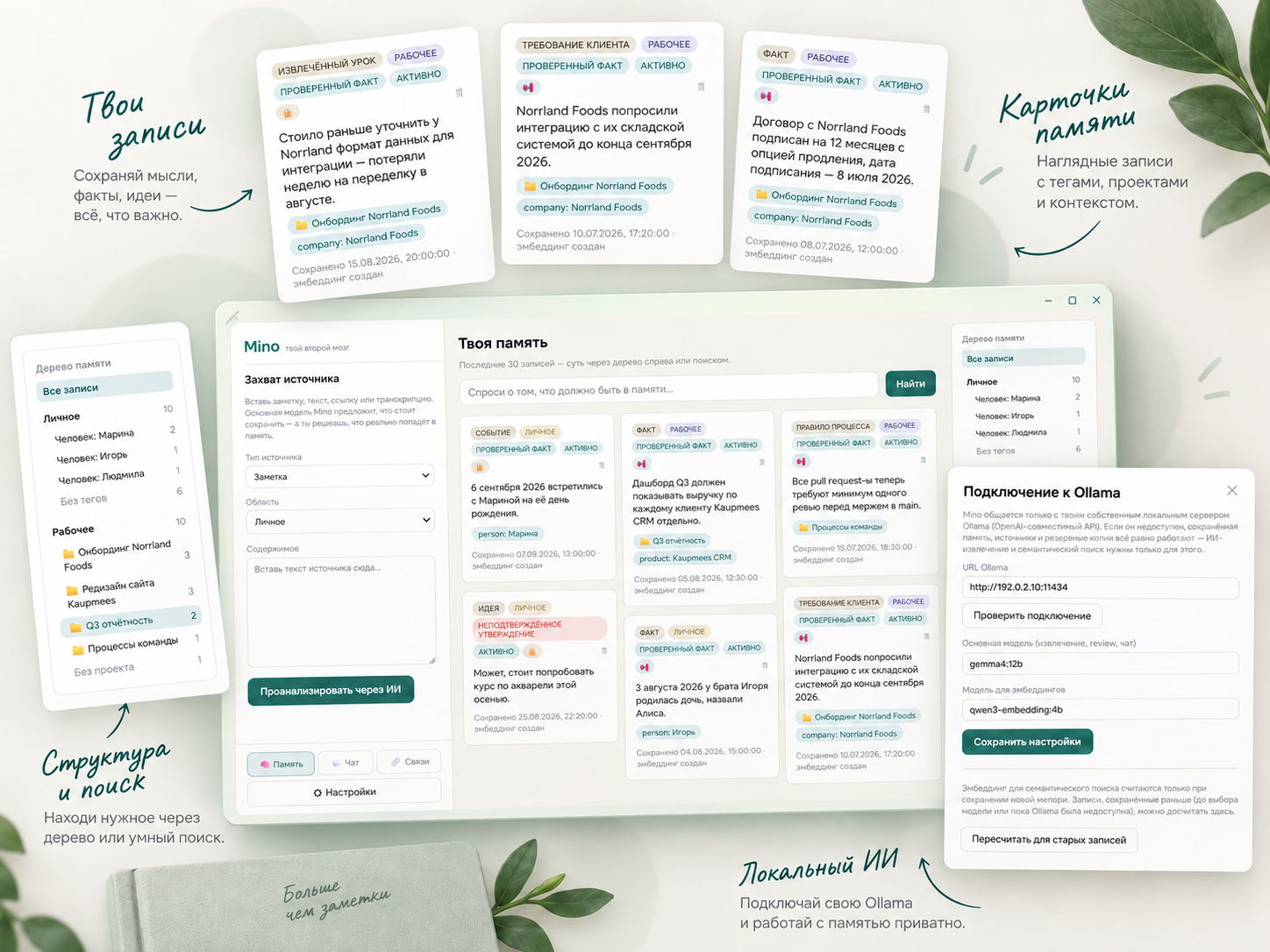
Important decisions, useful notes, conclusions, observations and everyday work details quickly become scattered across note-taking apps, chats and documents. A few months later, finding one particular detail can take a long time.
We use Notion, but it feels too heavy for short thoughts, so we do not store everything there.
Mino is a Windows application we are building as a second brain: one memory divided into personal and work areas.
A simple workflow
We add a text, link, note or transcript. A local model suggests what may be worth saving as a separate memory: a fact, event, decision, conclusion, idea, rule or another useful piece of information.
We review every entry. Mino does not save anything automatically and never replaces old information without warning. If something changes, the previous version remains in the history and the new entry is linked to it.
It is important to us that this memory remains ours. The database is stored locally beside the application, and AI runs through our local AI lab using Ollama. The data does not need to be sent to an external cloud service, and the complete Mino folder can be moved together with its memory.
Talking to your memory
Mino combines normal search with a chat interface for your own memory. Instead of searching only for exact words, you can ask questions such as:
What was happening with this project? Why did I make that decision? What have I already learned about this subject?
How Mino understands meaning
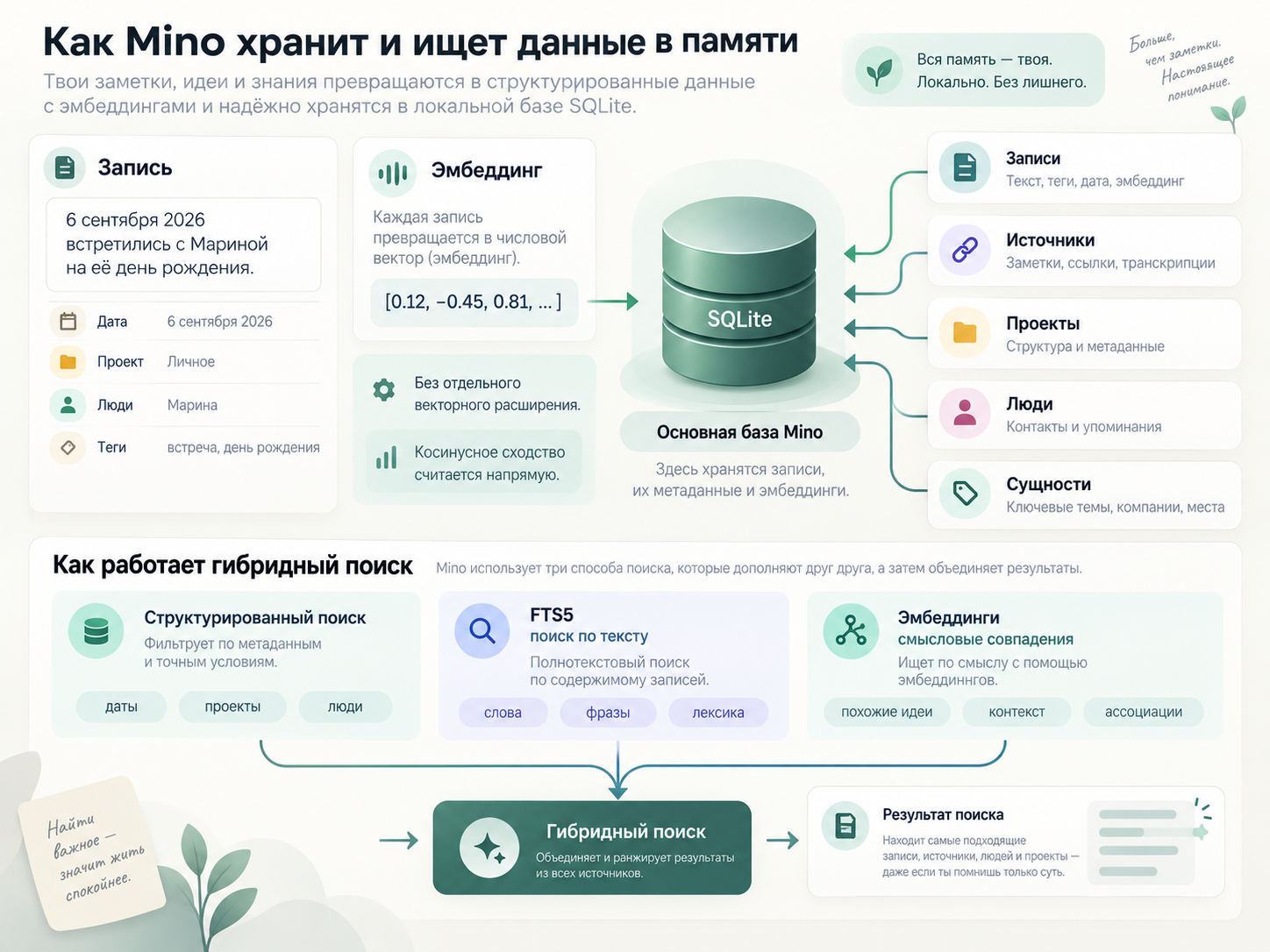
For every saved entry, Mino creates an embedding: a numerical representation of the meaning of the text.
We choose the embedding model in the settings through local Ollama. We currently use Qwen3-Embedding 4B, but Mino itself is not tied to one particular model.
In simple terms, the text becomes a set of numbers that can be used to find related entries even when they use completely different words. A search for "the decision about the client", for example, may find a note saying "we agreed to change the integration format" even though the exact search phrase does not appear in the note.
Mino's main database is SQLite. It stores the entries, sources, projects, people and other entities. The embedding for each entry is stored alongside it as a numerical vector.
We did not add a separate vector-search extension. A personal knowledge base does not contain millions of entries, so cosine similarity can be calculated directly. This avoids native dependencies that could make the application difficult to build on another system later.
The search is hybrid:
- exact information such as dates, projects and people is stored and searched as structured data;
- text is searched through FTS5;
- semantic matches are found through embeddings.
Connections
For individual entries, Mino can identify semantic similarity and suggest that one memory may be related to another. These suggestions are based on the embeddings.
Projects and people use a different approach. Mino looks for possible duplicates in spelling. If two names differ only because of a typo or capitalisation, such as "Toca Boca Style Game" and "Toca boca game", it suggests combining them into one entity.
In both cases, this is only a suggestion. Nothing is merged or linked automatically.
Mino is not another place for notes. It is an attempt to bring personal and work memory into one system that we can return to at any time and use to restore the context we need.